Project Overview
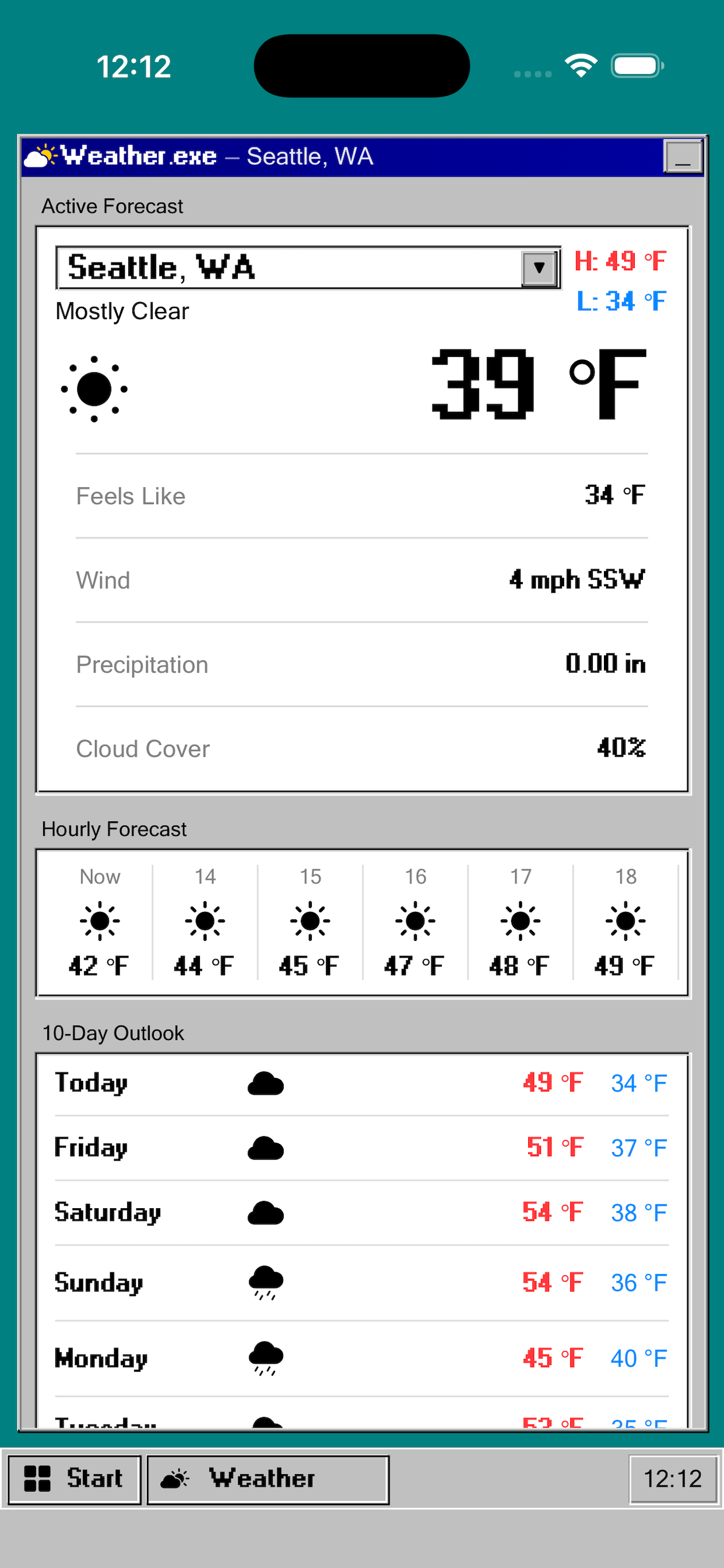
Weather.exe brings the charm of Windows 95 to your iOS and Android weather forecast. Every panel,
title bar, and button is faithfully recreated in the iconic silver-gray aesthetic - beveled
edges, raised panels, and all. It's a fully functional weather app wrapped in a love letter
to the golden age of desktop computing.
The app's core differentiator is its nostalgic UI. Weather data is sourced from Open-Meteo,
providing accurate global coverage with no API key or account required.
Features
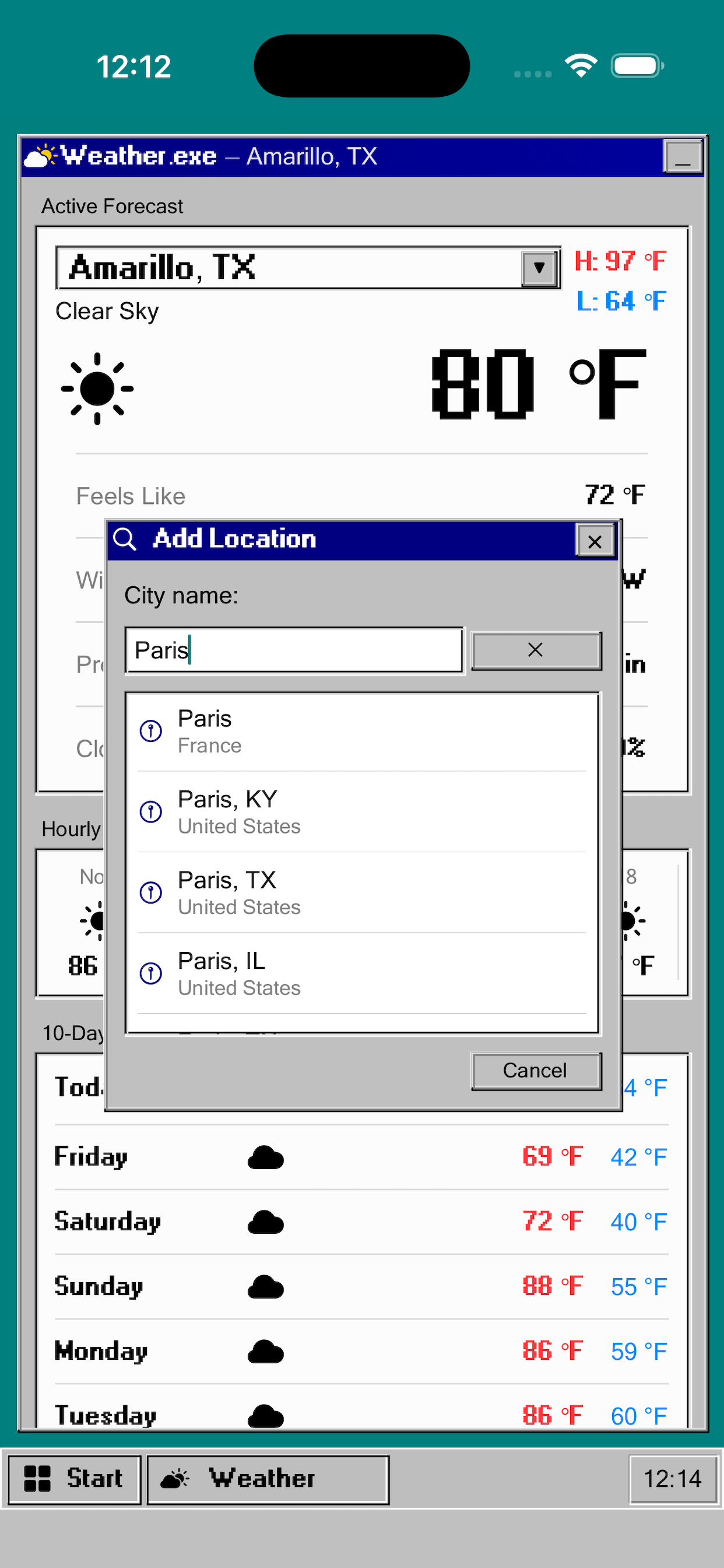
- Windows 95-style UI - title bars, beveled panels, a Start button, and the iconic silver-gray color scheme
- Current conditions - temperature, feels like, weather description, wind, precipitation, cloud cover
- Hourly forecast - 48-hour scrollable outlook with icons and temperatures
- 10-day forecast - daily high/low with weather icons for each day
- Detailed stats - wind speed, gusts & direction, sunrise/sunset, humidity, dew point, visibility, barometric pressure
- Multiple locations - save and switch between any number of cities worldwide
- Imperial & metric units - toggle between Fahrenheit/Celsius, mph/km/h, inches/mm
- Global coverage - powered by Open-Meteo with worldwide forecast data
Who It's For
- Anyone who grew up with Windows 95 and wants a hit of nostalgia
- Retro aesthetic and Y2K enthusiasts
- Users who want a clean, no-nonsense weather app with character
- Anyone tired of bloated weather apps
Design Philosophy
The entire UI is built from scratch in SwiftUI to faithfully replicate the Windows 95 aesthetic -
raised and sunken bevel effects, the classic teal desktop, silver dialog panels, and the
unmistakable title bar blue. The goal was to make every screen feel like a genuine Win95 dialog
box, while remaining a practical, easy-to-use weather tool.
Technical Implementation
- Platforms: iOS and Android
- iOS Framework: SwiftUI
- Android Framework: Kotlin / Jetpack Compose
- Weather Data: Open-Meteo API (free, no account required)
- Architecture: MVVM with CoreData for saved locations
- Location: CoreLocation with reverse geocoding via MapKit